AI Product Development / Front-End Engineering
Magic Markdown
Write messy, get organized. AI suggests the structure; you stay in charge of it.
- Project type
- Collaborative student software project
- Status
- Working web app
- My role
- Front-end developer and usability tester
- Team
- Student team (Prompt Partners)
- Tools
- Vue, JavaScript, in-browser language model, CodeMirror
The result
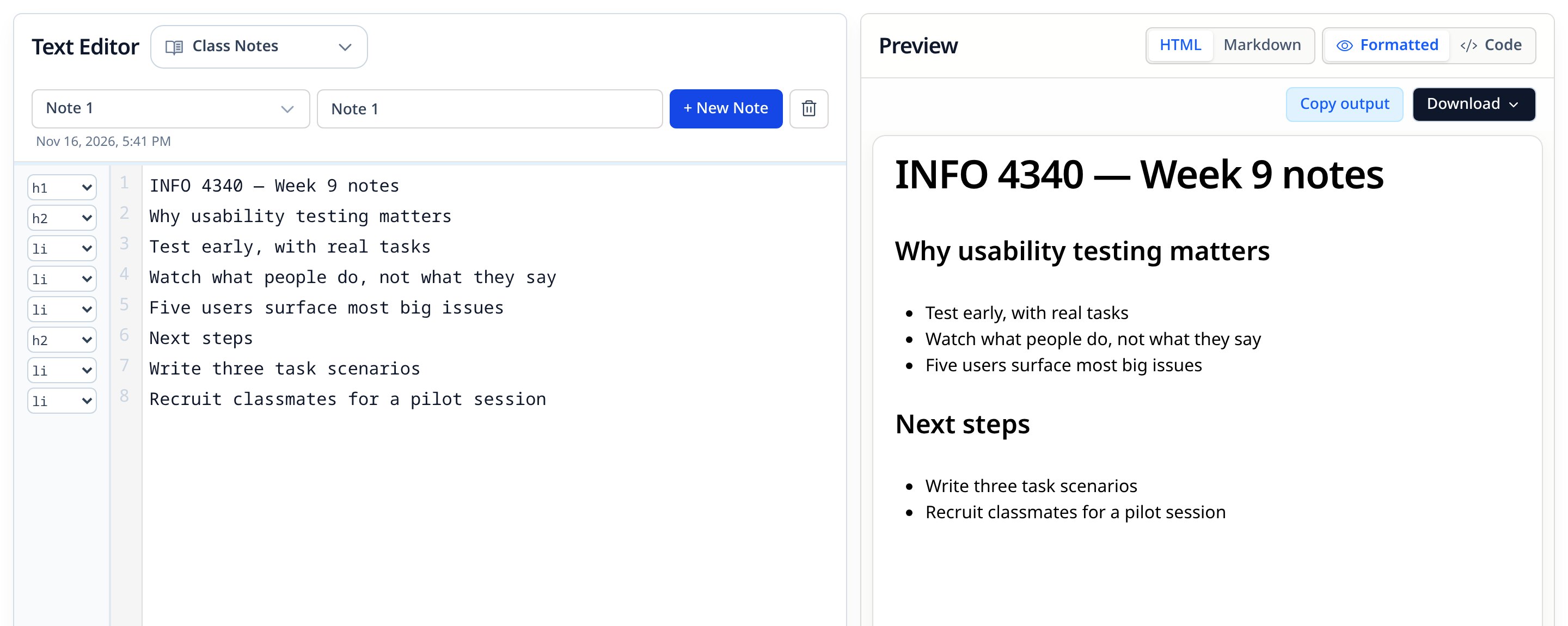
A working web app you can use today: write raw notes, get formatting suggestions, preview as HTML or Markdown, and export.
The opportunity
Formatting gets in the way of thinking.
Notes are written fast — in lectures, meetings, coding sessions. Structure comes later, if it comes at all. Stopping to add headings, lists and inline formatting pulls attention away from the content right when it matters most.
Our team of four set out to help people move from messy raw notes to structured, readable, exportable ones — with AI that supports the writer's existing words instead of writing the note for them.
The bet
Could a small, in-browser model do this at all?
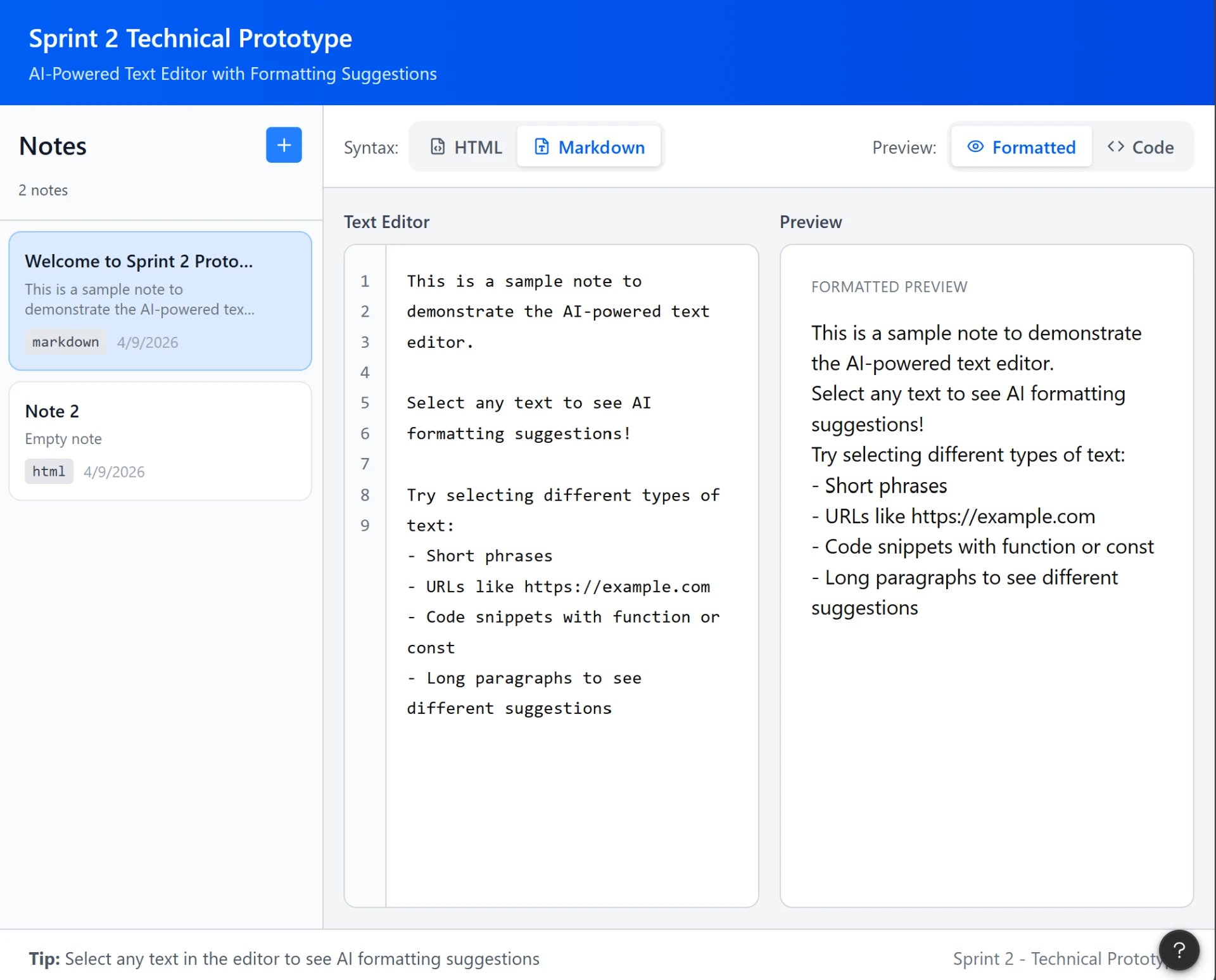
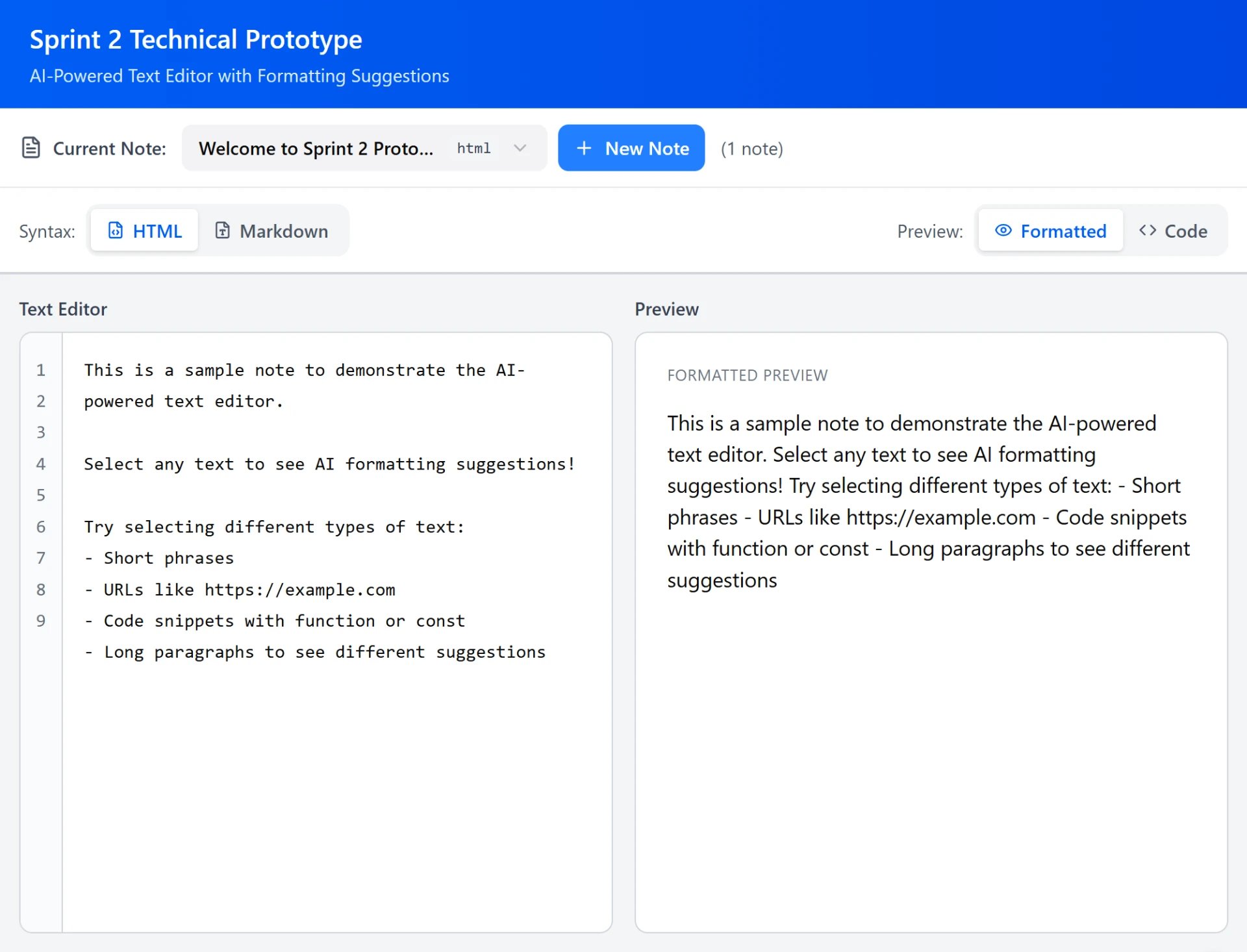
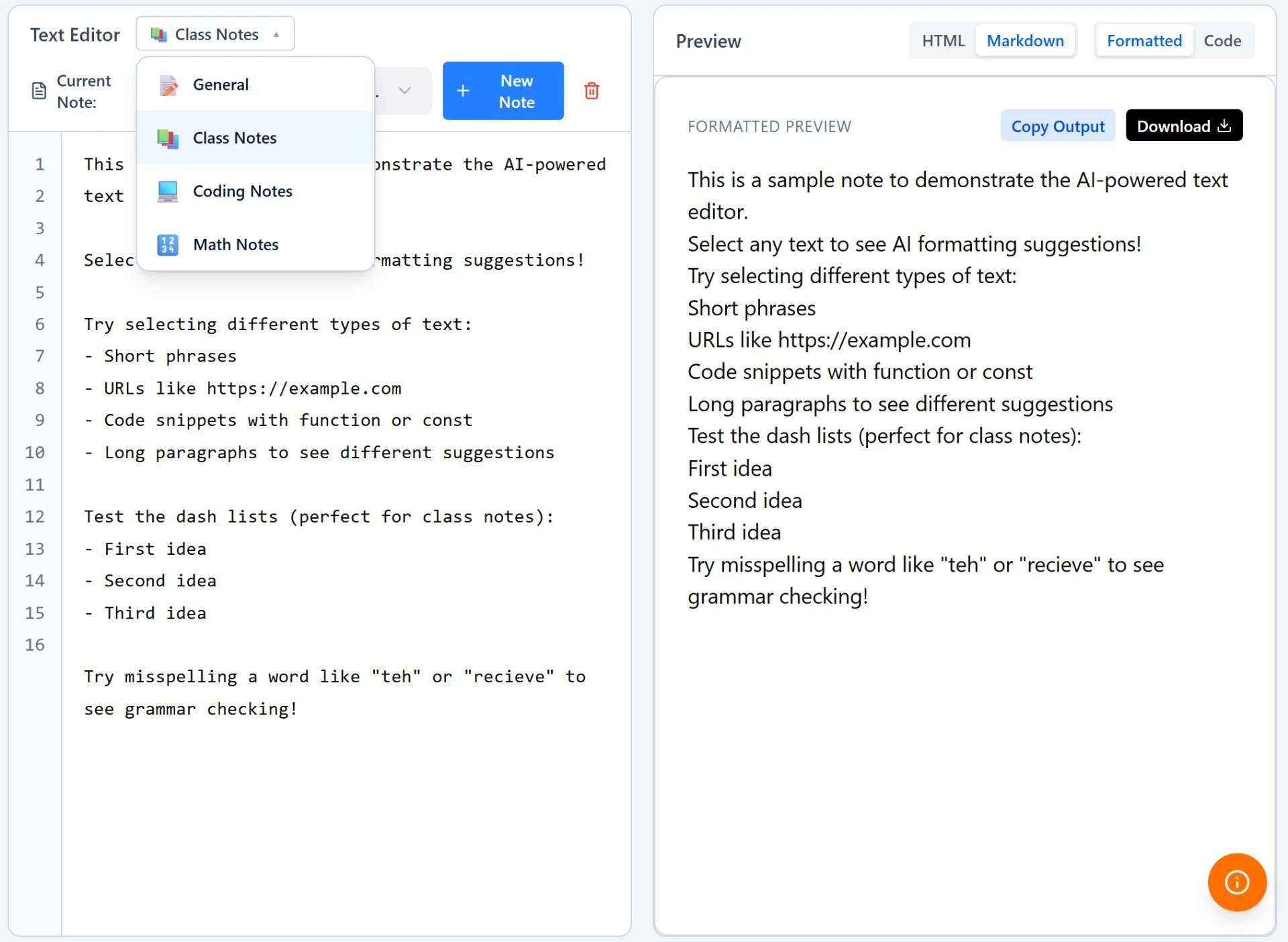
Before designing features, Sprint 2 was a technical prototype to validate the idea: could a language model running locally in the browser turn typed content into Markdown and HTML tags, and suggest formatting for specific words and sentences?
We built a basic input and preview, tried different models and system prompts, and evaluated the formatting output. We also sketched two layouts — notes in a sidebar versus a compact “current note” dropdown — to see which kept the writing space front and center.
How we tested
Same tasks, every sprint.
Each sprint ended with moderated usability sessions. Participants completed the same core tasks without guidance: write a short multi-line note, edit one line without touching the others, format it, review the AI's suggestions, switch between formatted and code previews, switch between Markdown and HTML, save, return to a saved note, copy and export.
Keeping the tasks consistent let us compare rounds directly. As features shipped, the script grew — note-type selection and export were added in later rounds — and we specifically watched whether people understood what the loading, saving and status messages were telling them.
Iteration
What we heard, what we changed.
Each round's findings fed the next sprint's backlog. Recommendations we didn't ship are kept in “What's next” below.
Sprint 3
Useful, once you found it.
What we heard
- The Save button only made sense after using it.
- Markdown and HTML views worked, but were hard to notice.
- Tab didn't behave the way people expected.
- AI bolding helped surface key points — but people wanted more control over it.
Sprint 4
The AI was the biggest pain point.
What we heard
- Suggestions felt inaccurate or didn't match how people structure their own notes.
- Typing “-” for a list produced inconsistent bullets and numbering.
- Status messages were visible, but their meaning wasn't clear.
- Saving, reopening and switching notes worked well.
- Participants still preferred Google Docs for speed and control.
What changed
- Note-type picker before writing
- Copy output and download
- Spelling checks
Sprint 5
Too eager to help.
What we heard
- The AI was too aggressive with bolding, underlining and enlarging text.
- People wanted to preview, accept or ignore changes — and see a history of them.
- PDF was the export format people expected.
- Note types made sense, but choosing between them felt uncertain.
What changed
- Tighter prompt constraints
- Rejected suggestions remembered
Sprint 6
Measure, then finish.
What we heard
- Final round of usability testing on the completed product.
What changed
- PDF export
- Example-based prompts
- Accuracy test suite
- Code cleanup
Live build
Suggestions you can see — and skip.
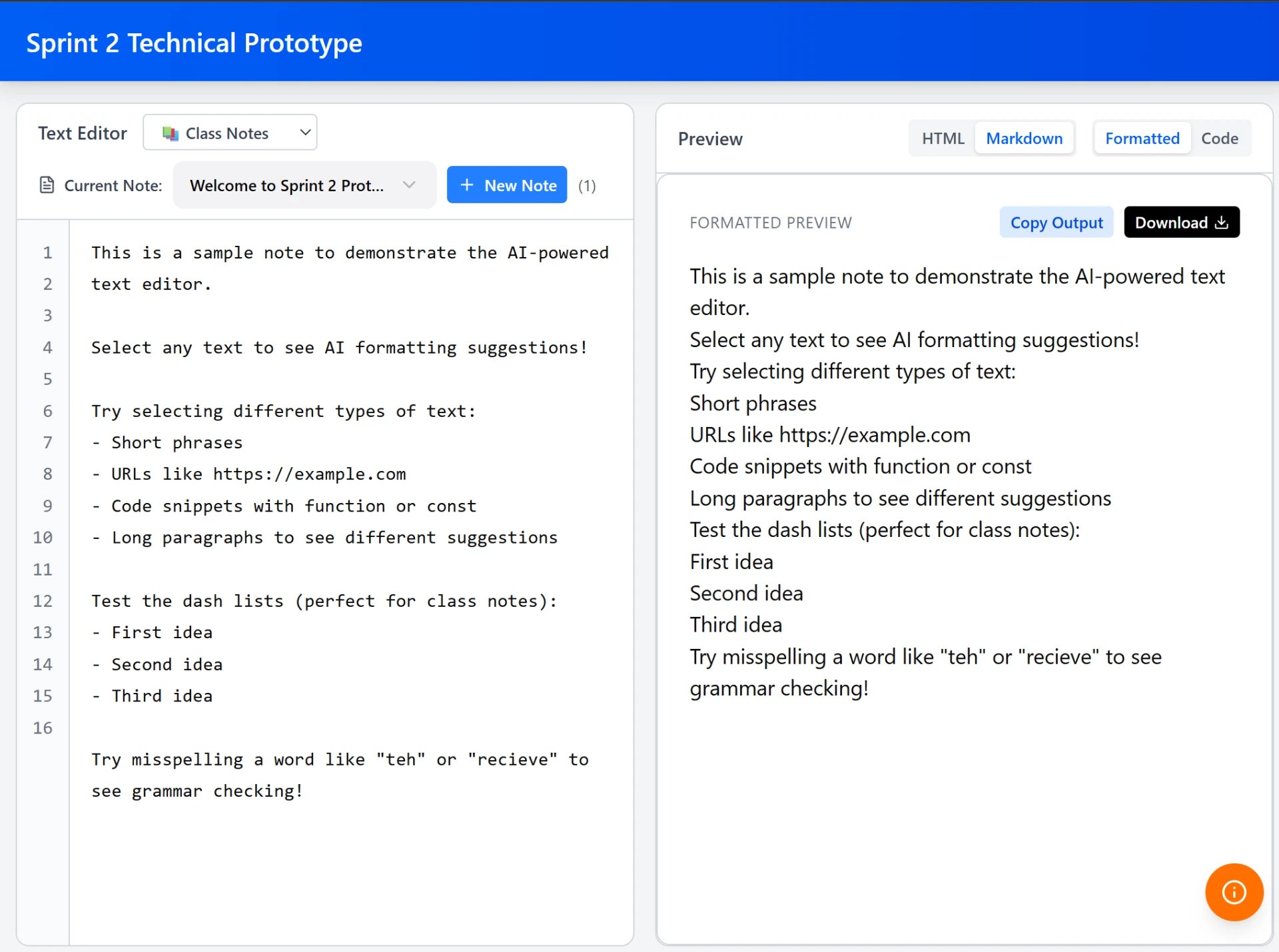
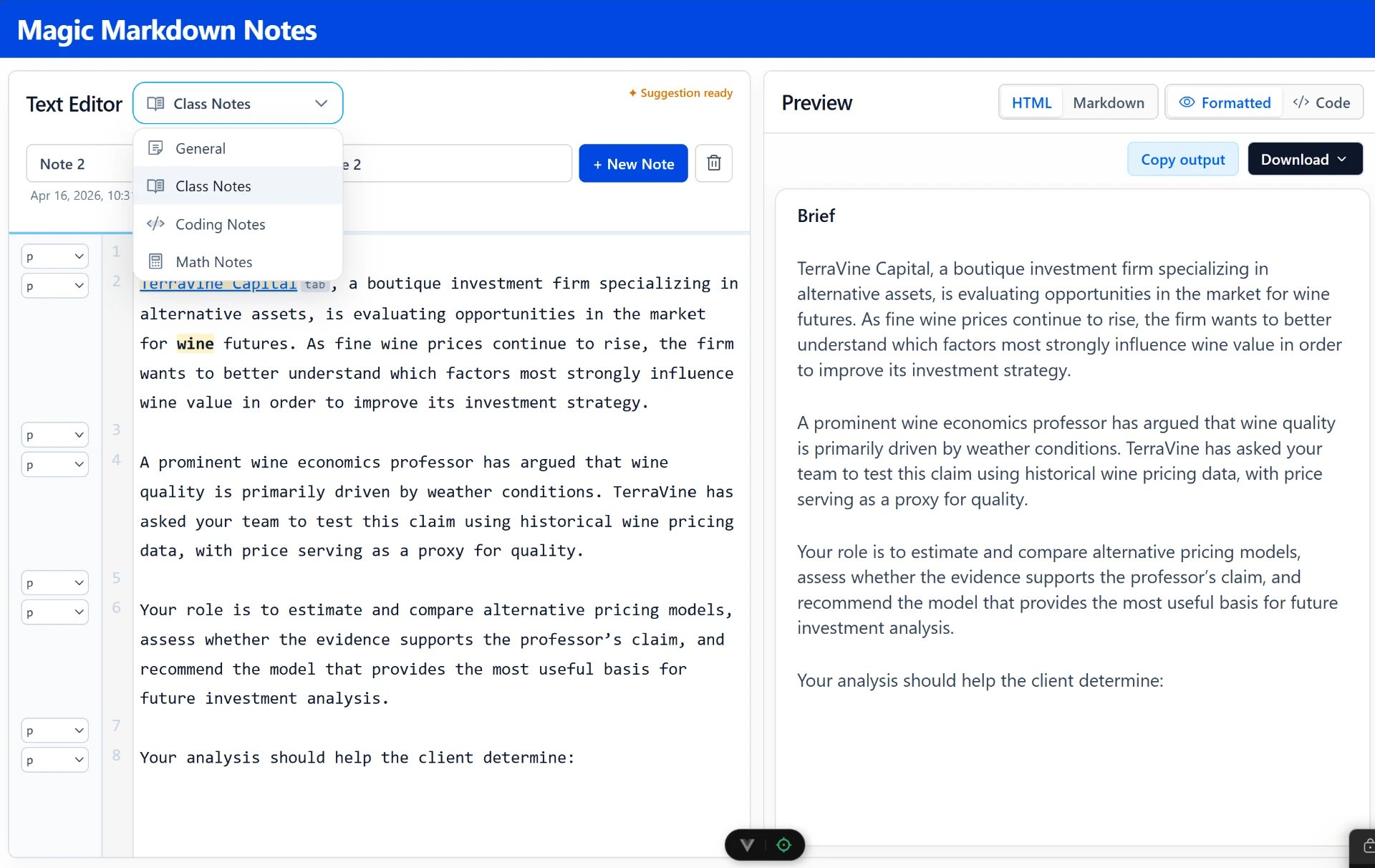
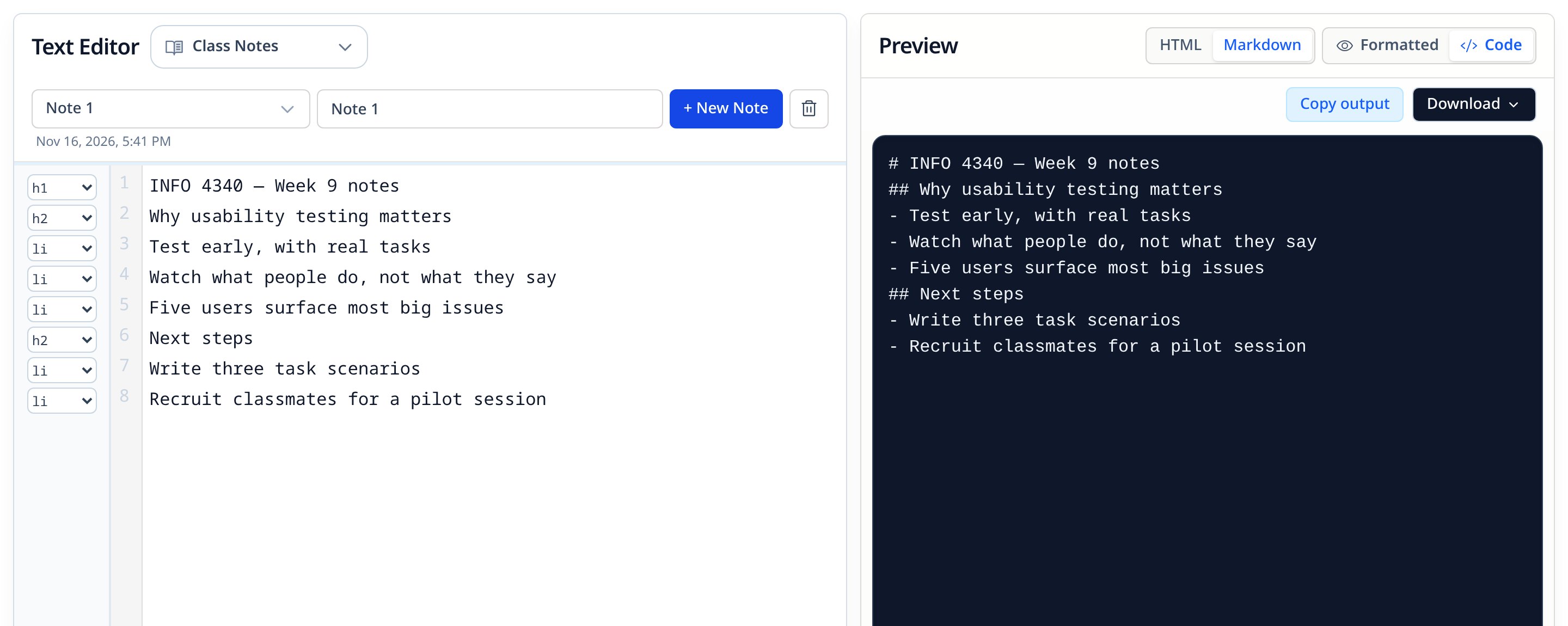
In the working app each line has its own format control, the editor flags when a suggestion is ready, and a highlighted suggestion can be applied with Tab without breaking the writing flow.
Getting there meant going beyond a plain text box. We used CodeMirror for line formatting, inline formatting, cursor position and visual suggestions — and leaned on AI as a development aid to find the right APIs.
Product decisions
Help, not a takeover.
Our biggest challenge was making AI useful without making it too controlling. These choices came straight out of testing.
Suggestions applied with Tab, line by line
Instead ofAutomatically reformatting the whole note
The AI suggests headings, paragraphs, lists, and bold, italic, underline or links. The writer decides — so wrong guesses are cheap and nothing changes behind their back.
Remember every “no”
Instead ofRepeating the same suggestion
When someone rejects a suggestion it goes on a blocklist, so the app learns not to make it again — a lightweight form of personalization.
General rules plus examples in the prompt
Instead ofStrict rules per note type
Separate instructions for class, coding and math notes made output rigid and repetitive. Simpler rules with worked examples gave better, more varied results.
A model that runs in the browser
Instead ofSending notes to a server
No account or backend, and notes stay on the device. The tradeoff: a one-time load of about a minute and a half, then around ten seconds after that.
Under the hood
Measuring the AI, not eyeballing it.
We struggled to tell whether the AI was getting better or just different. So we wrote test cases: sample notes paired with the tag we expected for every line, and a script that compares the model's answers against them.
- Model
- In-browser LLM — Runs locally with WebLLM — no server, no account.
- Editor
- CodeMirror — Line- and cursor-level control for tags and inline suggestions.
- Export
- PDF, HTML, Markdown — PDF via jsPDF, plus copy and raw downloads.
{
  "id": "climate-notes-basic",
  "lines": [
    "Introduction to Climate Change",
    "Climate change refers to long-term shifts in temperatures…",
    "Causes of Global Warming",
    "Burning fossil fuels releases greenhouse gases…",
    "Carbon dioxide is the main greenhouse gas."
  ],
  "expected": ["h1", "p", "h2", "p", "p"]
}
Outcomes
What shipped, and what's next.
- What was built
- A working, publicly hosted web app with AI formatting suggestions, Tab-to-apply, a rejection blocklist, live preview, note management, and export to PDF, HTML and Markdown.
- Evidence
- Usability testing every sprint from Sprint 3 to Sprint 6, a structured accuracy test suite for the AI, and the live demo.
- Limitations
- Tested with classmates rather than long-term users. The in-browser model needs a capable device and takes time to load the first time.
What I'd measure next
- A clear on/off switch for AI suggestions
- A history of every change the AI proposed
- Autosave with visible “saved” feedback
Next project
TikTok / Retok
Rethinking how we rediscover the content we save.
Open to Product · Product Design · UX Research · Tech roles